
The Cashier That's Fast,
Accurate, and Reliable
From opening to closing session — VSC POS is built for fast transactions, intuitive table management, and direct kitchen integration.
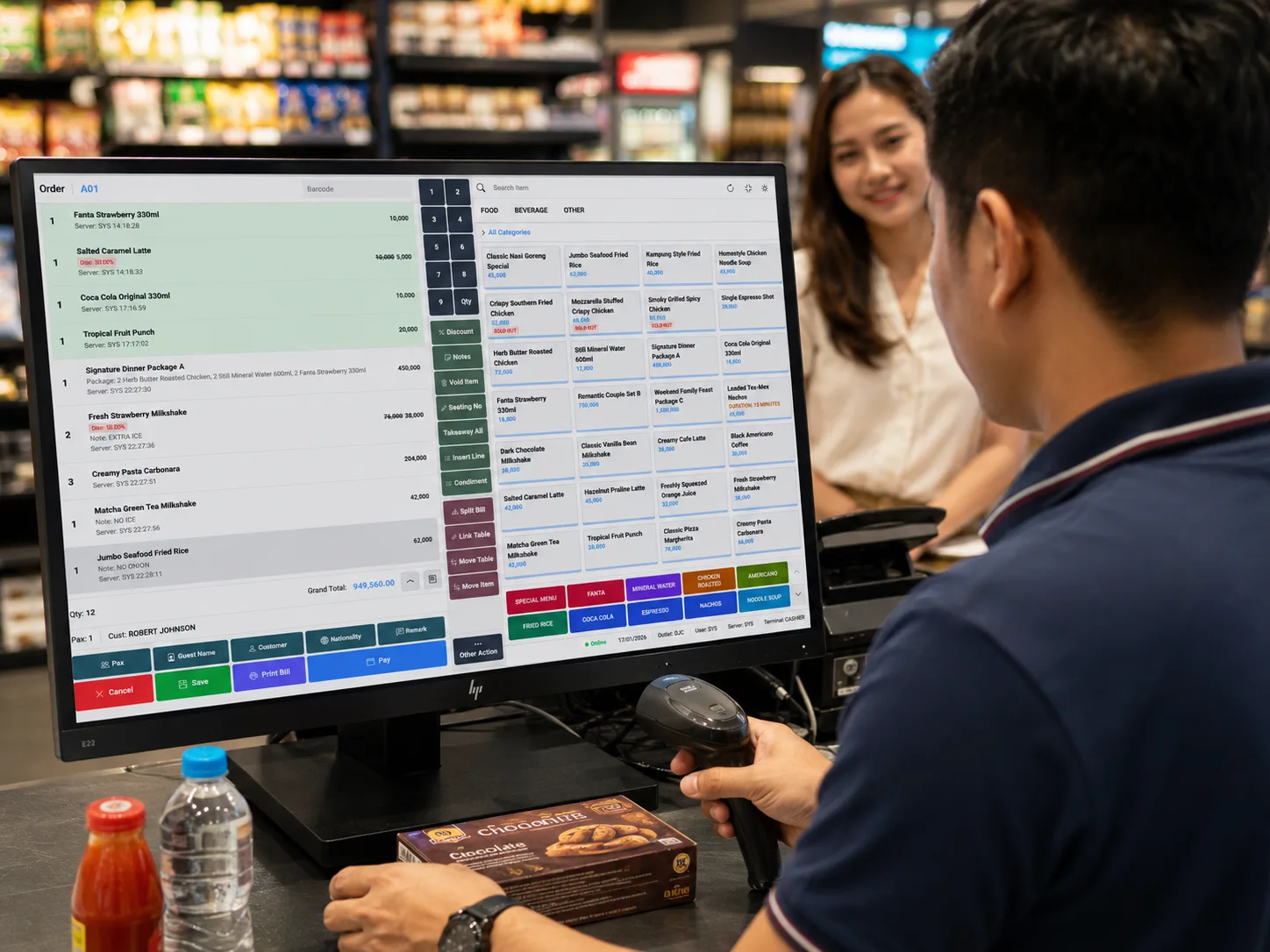
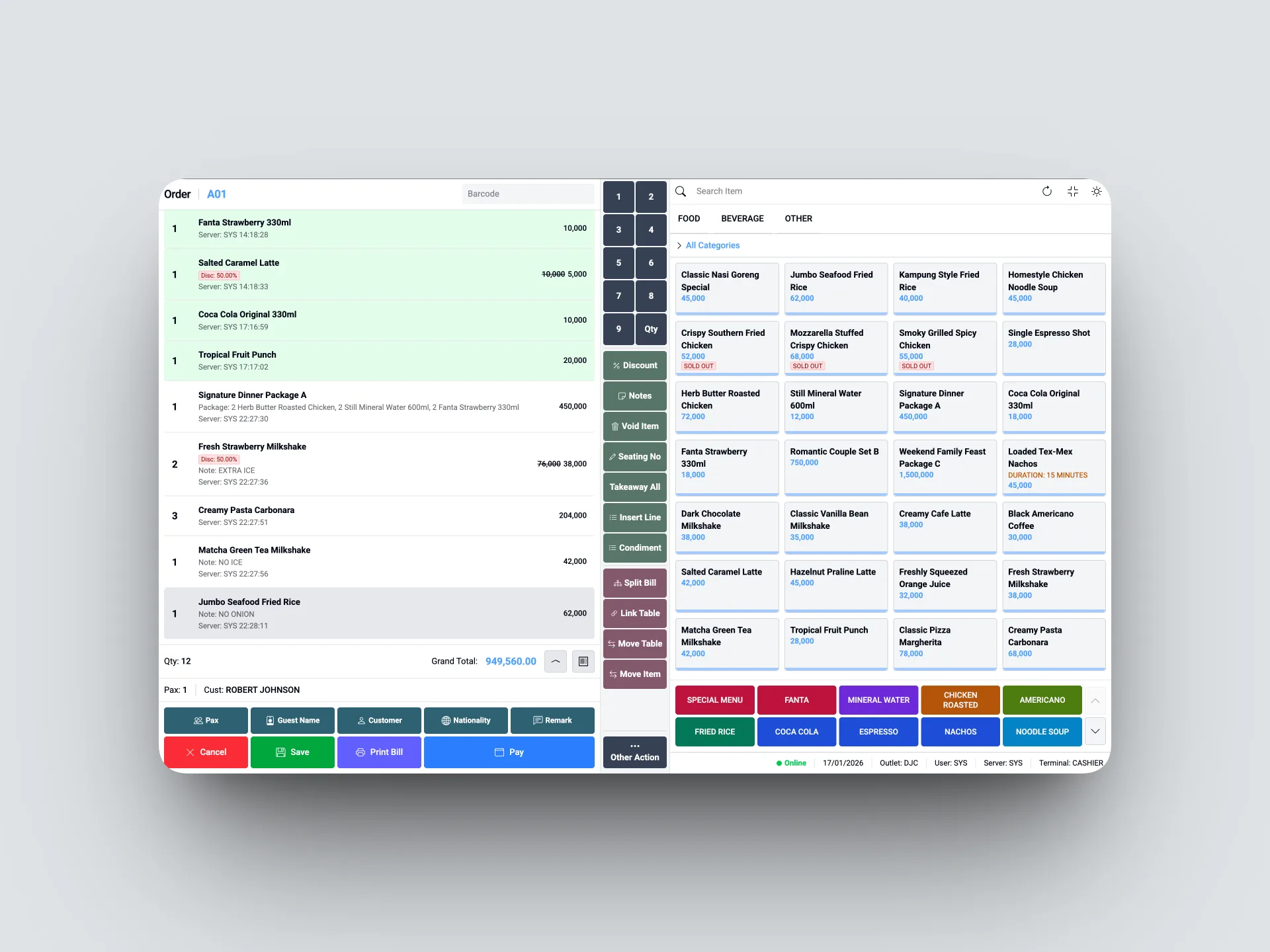
Everything You Need at the Cashier
Intuitive Cashier Interface
A clean, responsive UI. New cashiers can be productive immediately without lengthy training.
Table Management
Manage table layouts, seating areas, and table status (available, occupied, reserved) visually.
Cashier Sessions
Open and close cashier sessions with structured cash reconciliation and per-shift reports.
Multi-Payment Methods
Cash, debit/credit card, QRIS, bank transfer, and vouchers — all available in one transaction.
Split Bill
Split the bill among multiple payers flexibly — by item or by a specific amount.
Void & Returns
Cancel an item or an entire transaction with a complete audit trail — who, when, and why.
Transaction History
Search and view previous transactions, reprint receipts, or verify payments.
Real-Time Stock
Items sold automatically reduce stock in Backoffice — no manual entry.
Incoming Order Notifications
Orders from VSC Order (self-order QR) appear instantly in the POS with a visual notification.
Print QR Code
Generate and print table QR codes for customers who want to order themselves via VSC Order.
Transactions Done in Seconds
The VSC POS interface is designed for speed. From selecting a table, adding items, to processing payment — everything can be done in seconds without frustration.
- Fast item search by name or barcode
- Add modifiers/condiments directly from the POS screen
- Process QRIS and digital payments without switching apps
- Digital or printed receipt automatically after payment
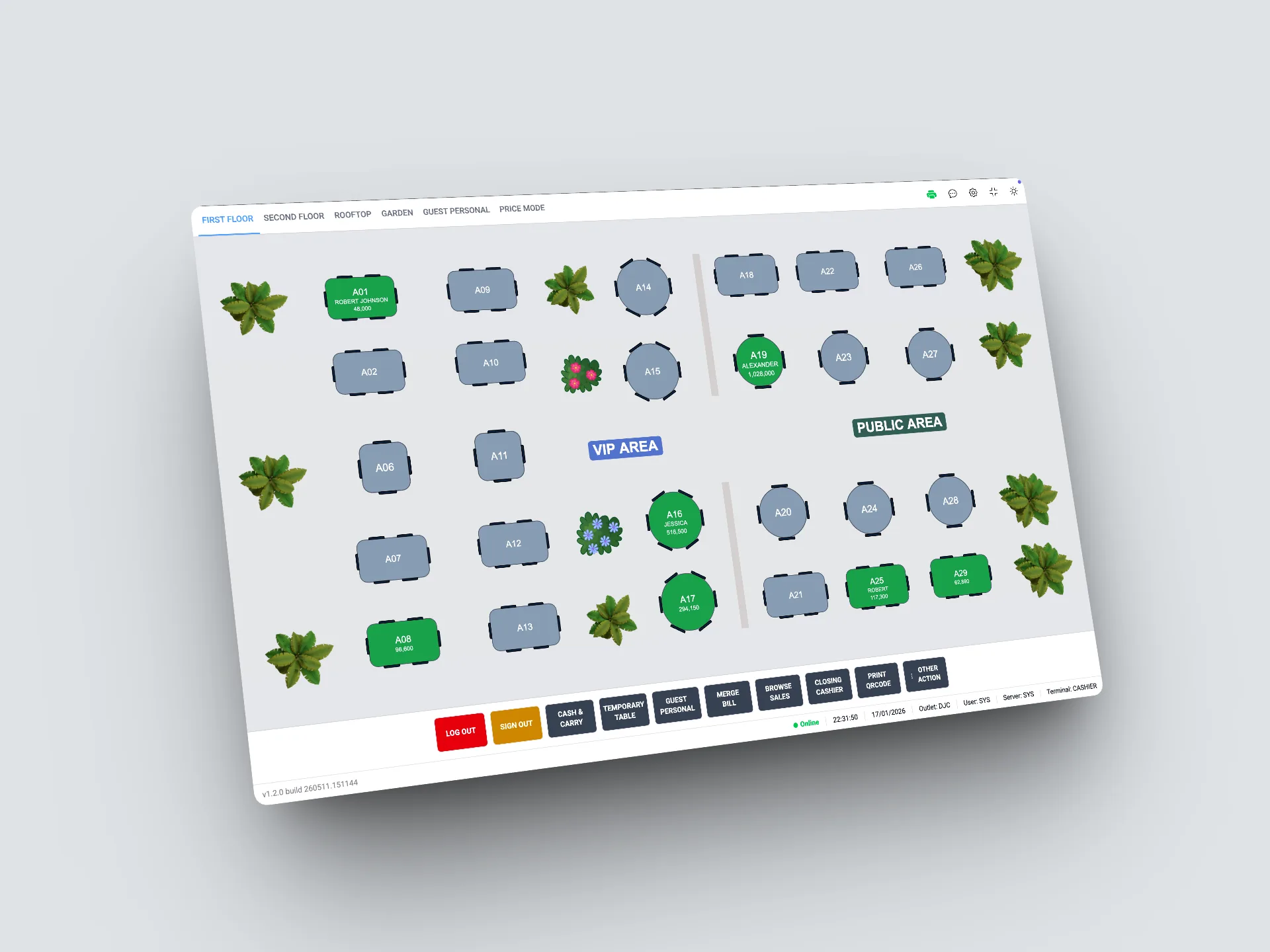
Smarter Table Management, Far More Dynamic Service
An interactive visual floor plan helps your floor team know the status of every table in real time — which is free, which is waiting for an order, which has asked for the bill.
- Customizable visual floor plan
- Real-time table status: free, occupied, bill requested
- Easily transfer orders between tables
- Merge tables for large groups
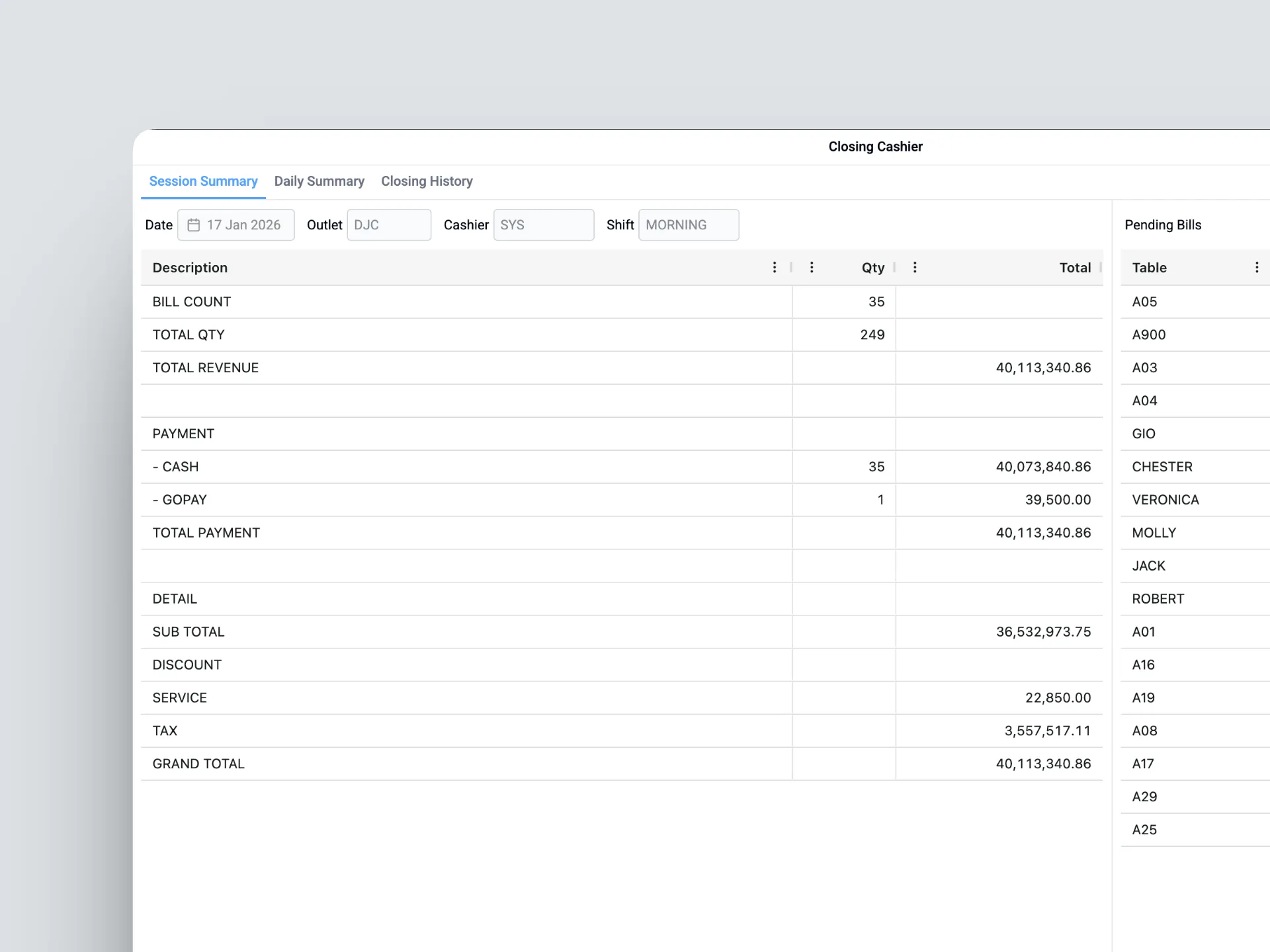
Close Your Shift with Confidence
Structured cashier sessions ensure smooth cash reconciliation at the end of every shift. Per-session reports are generated automatically — no more error-prone manual counting.
- Automatic cash reconciliation at end of session
- Sales reports per cashier & per shift
- Summary by payment method received
- Data syncs directly to Backoffice finance module
Connected to the Entire VSC Ecosystem
Every POS transaction auto-syncs to Backoffice, KDS, and financial reports — no manual entry needed.
Ready to Take Your Business
to the Next Level?
Start with a free demo request — our team will guide you from day one until the system is fully running. No hidden fees, no upfront commitment.